
Printable board game templates
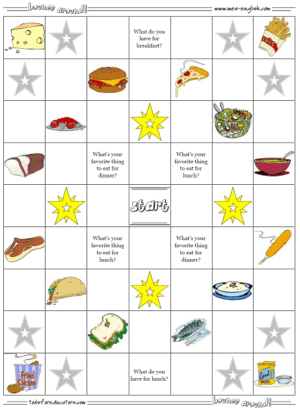
for communication games, review games, vocabulary practice and more.The Bounce Around Board Game maker is a worksheet generator that allows you to a printable board game for use in classrooms, at home or other events. You can select a board with all images, customize a board with text of your choice and mix with images, or just create a board that is all text. It's super simple, easy to use, but very powerful and flexible.
How to play: There is a game explanation if you follow that link. This is a multiplayer game that students can use to practice a variety of different vocabulary in target structures, as simple vocabulary practice or the game can be customized with text and use for almost any purpose.
Create a text only game board: text only
Create Bounce Around game boards with images or images and text:
adjectives:
images only
images and text
animals:
images only
images and text
bathroom:
images only
images and text
bedroom:
images only
images and text
body parts:
images only
images and text
buildings:
images only
images and text
chores:
images only
images and text
Christmas:
images only
images and text
classroom:
images only
images and text
clothing:
images only
images and text
colors:
images only
images and text
countries:
images only
images and text
daily routines:
images only
images and text
Easter:
images only
images and text
family:
images only
images and text
fantasy:
images only
images and text
feelings:
images only
images and text
food:
images only
images and text
fruit:
images only
images and text
hair styles:
images only
images and text
Halloween:
images only
images and text
health:
images only
images and text
hobbies:
images only
images and text
house:
images only
images and text
insects:
images only
images and text
kitchen:
images only
images and text
living room:
images only
images and text
months:
images only
images and text
music:
images only
images and text
nationalities:
images only
images and text
nature:
images only
images and text
numbers:
images only
images and text
part-time jobs:
images only
images and text
passive tense:
images only
images and text
people:
images only
images and text
phrasal verbs:
images only
images and text
places:
images only
images and text
plural nouns:
images only
images and text
prepositions:
images only
images and text
pronouns:
images only
images and text
question words:
images only
images and text
recess:
images only
images and text
school:
images only
images and text
science:
images only
images and text
shapes:
images only
images and text
sports:
images only
images and text
St. Patrick's:
images only
images and text
super powers:
images only
images and text
Thanksgiving:
images only
images and text
time:
images only
images and text
tools:
images only
images and text
transportation:
images only
images and text
Valentine's:
images only
images and text
vegetables:
images only
images and text
verbs:
images only
images and text
weather:
images only
images and text
all vocab:
images only
images and text
Type in questions, target language structures or any language you wish the students to practice. (You can also use this to create custom phonics worksheets and phonics board games.)
This can also be used by math teachers to create math printables. Enter math problems into the text only version and you can create a math board game!
These should print fine if you are printing on A4 paper or Letter. However, if the game is printing on two pages or getting cut off, go to 'file' and select 'page properties.' You'll see an option for margins. Reduce the top, bottom and side margins and then close that window. Now you are ready to print.

End User License Agreement: You are free to use any resource created from this site as an end user and MES grants you an End User License with the following restrictions: You may not redistribute, copy, modify, transfer, transmit, repackage, re-engineer, charge for, or sell any of the materials from this site. You may use photocopies or printouts for the purposes of distributing them for free to your students. MES reserves the right to terminate or make changes to this agreement for any reason and without notice.
Copyright © 2005 - 2024 Tools for Educators and MES English | privacy