
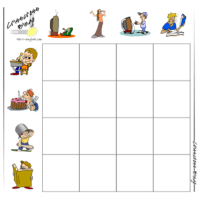
 These CrissCross Bingo board makers are game templates that allow you to create CrissCross bingo boards for any of the available vocabulary categories. These boards are designed to be used with the dice from the dice maker or you can use flashcards from MES-English. Below you will see options for making 3x3 boards or 4x4 boards with images. (Any of the templates can be used to make text versions as well.)
You can find a write up of how to play Crisscross Bingo here. Use flashcards to play or you can use the dice maker. Together, the boards and dice/flashcards make a fun and very useful conversation game.
Currently available sets:
I recommend laminating your boards so you can reuse them. These game boards and other pieces are a little teadious to assemble. But, once you have the sets created, the game is excellent for the classroom.
If you have larger classes, you don't need to make 30+ unique boards. I recommend creating sets of 6-8 boards - So just print 5 copies of your 8 boards - and use your sets in small groups of 6 students. Playing in smaller groupd will dramatically increase speaking time per person.

End User License Agreement: You are free to use any resource created from this site as an end user and MES grants you an End User License with the following restrictions: You may not redistribute, copy, modify, transfer, transmit, repackage, re-engineer, charge for, or sell any of the materials from this site. You may use photocopies or printouts for the purposes of distributing them for free to your students. MES reserves the right to terminate or make changes to this agreement for any reason and without notice.
Copyright © 2005 - 2024 Tools for Educators and MES English | privacy