Print certificates, calendars and greeting cards with your photo - Print With My Pic.com


Tools for Educators

offers

free worksheet generators, printables makers and a host of programs for teachers

to make

resources for lessons, lesson plans and printable materials for classes

By using any of these resources you agree to the MES end user license agreement.  Whether you read it or not.

 The

Dice Maker

 is a

worksheet wizard

that allows you to 

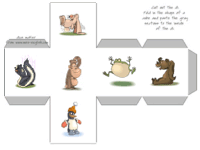
create dice with pictures, dice with text or printable dice

  with both images and text.

Currently available sets:

one die two dice one text one images
text only one two
text with dots one two

adjectives

one two

both

animals

one two

both

body parts

one two

both

chores one two

both

Christmas one two

both

classroom

one two

both

clothing one two

both

countries one two

both

daily activities one two

both

Easter one two

both

family

one two

both

fantasy one two

both

feelings

one two

both

food

one two

both

fruit & vegetables

one two

both

Halloween one two

both

health vocabulary

one two

both

hobbies one two

both

house one two

both

insects one two

both

kitchen one two

both

months, dates, days one two

both

music one two

both

nature

one two

both

numbers one two

both

part-time jobs one two

both

passive verbs one two

both

people

one two

both

phrasal verbs one two

both

places

one two

both

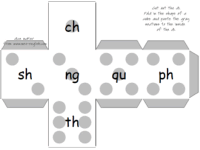
phonics dice

one two
phonics with dots one two
prepositions one two

both

pronouns one two

both

question words one two

both

recess activities one two

both

school one two

both

science one two

both

shapes and colors

one two

both

sports

one two

both

St. Patrick's Day one two

both

Thanksgiving one two

both

tools one two

both

transportation one two

both

Valentine's Day one two

both

verbs

one two

both

weather

one two

both

You can try the super maker with all vocabulary options if you dare:

one die two dice one text one images
all one two

both

These can handle some foreign languages as well.  So,

French teachers, German teachers, Spanish, LOTE teachers

and more can use the

Dice creator

as well.
Here's

a list of communication games you can play using dice

.  These can be used for

conversational activities

or they can be used with the Crisscross Bingo game from MES-English.

Once your dice have been generated, go into the 'file' menu at the top left of the browser and choose print.

You may need to adjust your top or bottom margins if you are making 2 dice.  Before printing, go to 'file' and select 'page properties.'  You'll see an option for margins.  Reduce the top and bottom margins to .3 and then close that window.  Now you are ready to print.


End User License Agreement:  You are free to use any resource created from this site as an end user and Mighty Education Systems (MES) grants you an End User License with the following restrictions: You may not redistribute, copy, modify, transfer, transmit, repackage, re-engineer, charge for, or sell any of the materials from this site.  You may use photocopies or printouts for the purposes of distributing them for free to your students.  MES reserves the right to terminate or make changes to this agreement for any reason and without notice.

Copyright © 2005 - 2010 Tools for Educators and MES English