
Free printable dice maker
from Tools for Educators: Create your own custom dice with pictures, text or both images and text. You can make dice with just your text or choose an image category below to make dice with those images. (See below for some ideas on how to use the dice.)Make dice with text only
make one die per page make two dice per page
Make dice with images:
adjectives:
one die
two dice
img & txt
animals:
one die
two dice
img & txt
bathroom:
one die
two dice
img & txt
bedroom:
one die
two dice
img & txt
body parts:
one die
two dice
img & txt
buildings:
one die
two dice
img & txt
chores:
one die
two dice
img & txt
Christmas:
one die
two dice
img & txt
classroom:
one die
two dice
img & txt
clothing:
one die
two dice
img & txt
colors:
one die
two dice
img & txt
countries:
one die
two dice
img & txt
daily routines:
one die
two dice
img & txt
Easter:
one die
two dice
img & txt
family:
one die
two dice
img & txt
fantasy:
one die
two dice
img & txt
feelings:
one die
two dice
img & txt
hair styles:
one die
two dice
img & txt
Halloween:
one die
two dice
img & txt
health:
one die
two dice
img & txt
hobbies:
one die
two dice
img & txt
house:
one die
two dice
img & txt
insects:
one die
two dice
img & txt
kitchen:
one die
two dice
img & txt
living room:
one die
two dice
img & txt
months:
one die
two dice
img & txt
music:
one die
two dice
img & txt
nationalities:
one die
two dice
img & txt
nature:
one die
two dice
img & txt
numbers:
one die
two dice
img & txt
part-time jobs:
one die
two dice
img & txt
passive tense:
one die
two dice
img & txt
people:
one die
two dice
img & txt
phrasal verbs:
one die
two dice
img & txt
prepositions:
one die
two dice
img & txt
pronouns:
one die
two dice
img & txt
question words:
one die
two dice
img & txt
recess:
one die
two dice
img & txt
school:
one die
two dice
img & txt
science:
one die
two dice
img & txt
shapes:
one die
two dice
img & txt
sports:
one die
two dice
img & txt
St. Patrick's:
one die
two dice
img & txt
super powers:
one die
two dice
img & txt
Thanksgiving:
one die
two dice
img & txt
time:
one die
two dice
img & txt
tools:
one die
two dice
img & txt
transportation:
one die
two dice
img & txt
Valentine's:
one die
two dice
img & txt
vegetables:
one die
two dice
img & txt
verbs:
one die
two dice
img & txt
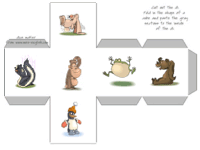
 The basic idea for using these dice in communication classes is that students roll the dice and use the vocabulary that comes up. So for example you could make 2 dice with animals. If 'a horse' and 'a pig' come up, students might make a sentence like, 'A horse is faster than a pig.'
A few general ideas on how to use these dice to get you started:
- You can mix a text die with punctuation like '.' '?' 'not' and an image die. Have students make a sentence, negative statement or question with the word that comes up on the image die.
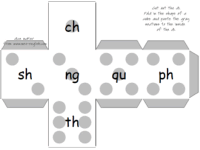
- Make text dice with phonics digraphs, reading rules, and combinations. Have the students roll the dice and give them 2 minutes to write as many words as they can that contain those phonics rules.
- Make dice with numbers and different operators ( + , - , x ) or just use regular dice plus the operator dice for simple math practice.
- Make text dice with set questions or better yet, just the beginning, 'Have you ever ...?' / 'Do you have ...?' / 'Are you going to ...?' and use these as conversation starters and warm up activities.
- Combine the text dice with the printable board games in examples like those above. So instead of using two dice, you would use the content from the dice and content from the board position to practice your target language.
Here's a list of communication games you can play using dice. These can be used for conversational activities or they can be used with the Crisscross Bingo game from MES-English.

End User License Agreement: You are free to use any resource created from this site as an end user and MES grants you an End User License with the following restrictions: You may not redistribute, copy, modify, transfer, transmit, repackage, re-engineer, charge for, or sell any of the materials from this site. You may use photocopies or printouts for the purposes of distributing them for free to your students. MES reserves the right to terminate or make changes to this agreement for any reason and without notice.
Copyright © 2005 - 2024 Tools for Educators and MES English | privacy