
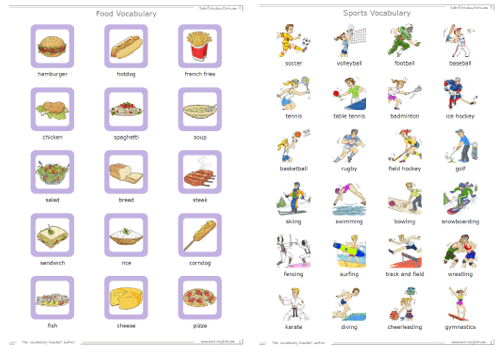
The Vocabulary Handout is a simple vocabulary worksheet that has an image of your choice and then text below that image. The maker will allow up to 24 images per page. You can use less images options but I recommend atleast 10 for this style.
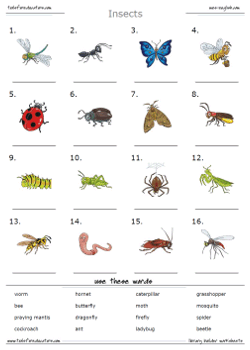
The Picture Dictionary Handout is a vocabulary library design for students to collect and build their own picture dictionary. This design separates the images in the top section and the words below. There is a line for the students to write the word below the image if they'd like.
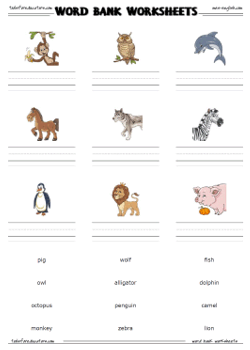
The Word Bank Worksheet is very similar to the Picture Dictionary Handounts, but it's more of a worksheet. You can choose to add extra dummy words into the word bank and also jumble the spelling of the words for increased difficulty. The students should look at the picture say the word and write the vocabulary on the line under the image.
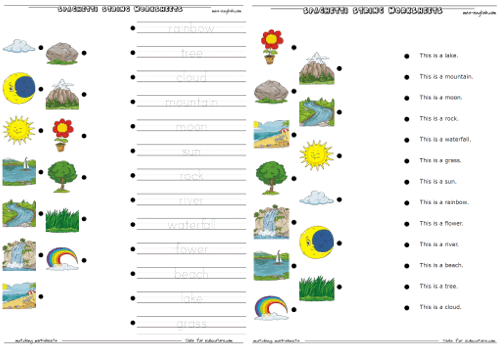
The Spaghetti String Worksheets are vocabulary builders that have the students look at the images and connect each image to the correct word or sentence to the right. You can choose from traceable text fo writing practice, or there is a read only option. With the 'readable text' option you can enter just the vocabulary word or even short sentences about the vocabulary.
The makers will open in a new tab. Use the maker to select your images and enter text for that picture. You can type in the word, a sentence, or translation to another language.
These should be able to handle any foreign language. So teachers all over the world can use these to create printable vocabulary worksheets for foreign language classes or just for any other use.
Tools for Educators offers free printable worksheet makers, online teacher tools and a host of programs for educators to make materials for lessons, get lesson plan support, and resources to make your classes fun and interesting.
After you create your worksheet, there is a print menu at the top that you can use to print your worksheet. However, if you are having problems with that, you can close the menu and print the worksheet just like you would print any page off the Internet.

End User License Agreement: You are free to use any resource created from this site as an end user and MES grants you an End User License with the following restrictions: You may not redistribute, copy, modify, transfer, transmit, repackage, re-engineer, charge for, or sell any of the materials from this site. You may use photocopies or printouts for the purposes of distributing them for free to your students. MES reserves the right to terminate or make changes to this agreement for any reason and without notice.
Copyright © 2005 - 2025 Tools for Educators and MES English | privacy | contact