
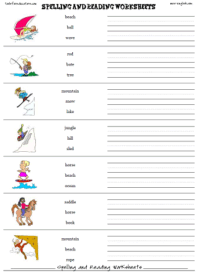
Free reading, spelling and writing worksheet templates to use as resources for English lessons, lesson plans or as fun printable materials after-school classes.
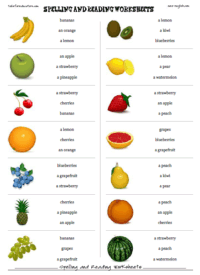
Read and write worksheets: You can select a picture and write up to three words. You can write one or two words that match the picture. The students circle the correct word(s) and then practice writing the words on the lines to the left. Or, the students can try to use the correct words to write a sentence about the picture.
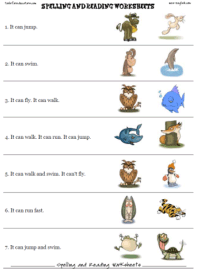
You can write single words, jumbled words, misspelled words and have the students circle the correct spelling. You can also write in sentences explaining the picture and other sentence that have nothing to do with the picture. Then the students would read the three choice and select the correct sentence for the picture.
These can handle some foreign languages as well. So, French teachers, LOTE teachers, German teachers, Spanish teachers and more can use the reading sheet maker in their classes as well. These are also great for preschool, kindergarten and other elementary school teachers to use as young learner resources.
More reading and spelling worksheets:
Once your game board has been generated, go into the 'file' menu at the top left of the browser and choose print.
These should print fine if you are printing on A4 paper or Letter. However, if the game is printing on two pages, go to 'file' and select 'page properties.' You'll see an option for margins. Reduce the top and bottom margins and then close that window. Now you are ready to print.
The reading test maker is a printout wizard that allows you to create reading worksheets or small reading quizzes on any theme with pictures.

End User License Agreement: You are free to use any resource created from this site as an end user and MES grants you an End User License with the following restrictions: You may not redistribute, copy, modify, transfer, transmit, repackage, re-engineer, charge for, or sell any of the materials from this site. You may use photocopies or printouts for the purposes of distributing them for free to your students. MES reserves the right to terminate or make changes to this agreement for any reason and without notice.
Copyright © 2005 - 2025 Tools for Educators and MES English | privacy | contact